One plan, everything included·Team $5/user/month·Business on custom pricing
Billable time
Trakkar logo

How to track billable hours for client work

Track billable hours by project, approve timesheets, and turn them into GST invoices. Trakkar Team (₹120/user) keeps rates, tasks, and clients together.

Billable vs non-billable · project rates · timesheet approval

If you track billable hours for client work, they only count when they're logged against a billable project or task and approved before you invoice. Spreadsheets and free timers lose task context, and you end up redoing timesheets on Friday when someone forgot to start the clock. Trakkar ties the desktop tracker, manual entries, and manager approvals to the right project and task, so billing matches what your team actually delivered.

Step by step

How it works in Trakkar

A practical workflow your team can run every billing cycle.

  1. Create projects with client and billing context — Add the client, project lead, and default billable flag. Link tasks so time rolls up to the right budget and invoice line items later.
  2. Set cost rates per person or project — Set each person's hourly cost, and a project rate where it differs. The Profitability report uses it to show cost to date against each project's value.
  3. Track time on desktop or submit manual entries — Start the desktop tracker on a task, or log manual time with notes. Keep internal rework on non-billable projects or tasks so it doesn't inflate client totals.
  4. Review and approve the weekly timesheet — Managers approve corrections and manual entries from one queue. Approved hours become the source of truth for invoicing.
  5. Export the project time report, then invoice — Filter billable hours for the billing period and confirm the totals. Then create a GST invoice from your saved products or typed lines, linked to the project. No copy-pasting into Zoho or Tally.

What this looks like in Trakkar

Product screenshots (Acme Studio sample data) from the Trakkar web app itself, not from a separate HR or invoicing tool.

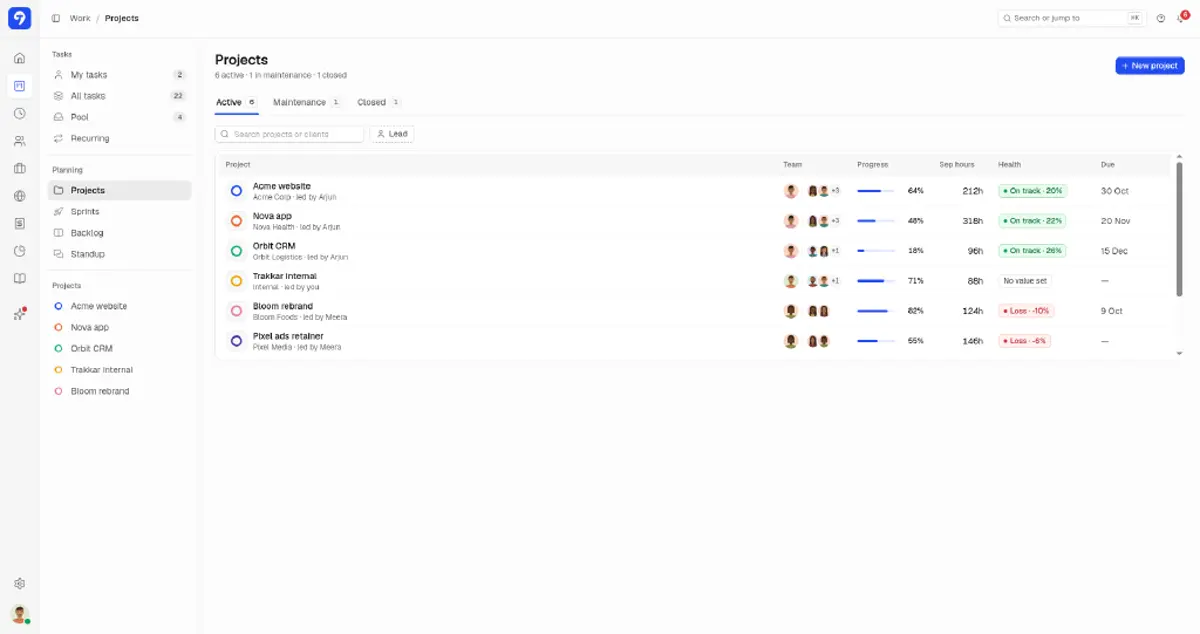
Trakkar projects list with progress, September hours, and health for client projects
Projects tied to clients, with hours and margin visible before you invoice.
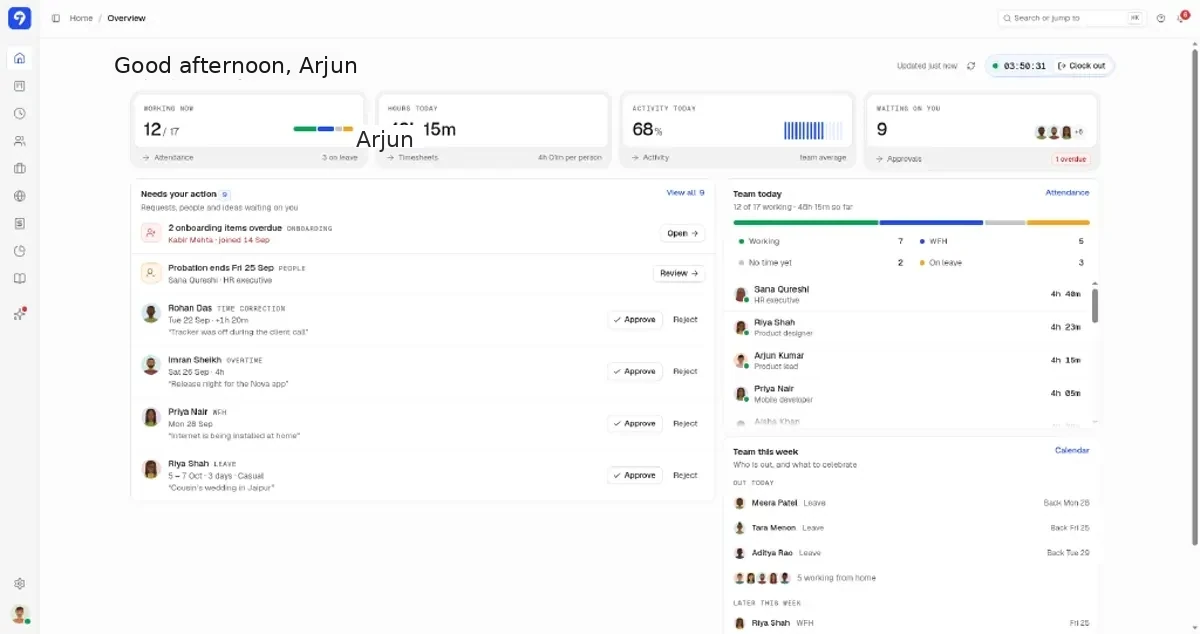
Trakkar manager home overview with attendance, hours today, and pending approvals for Acme Studio
One dashboard for who is working, hours logged, and what needs your approval.
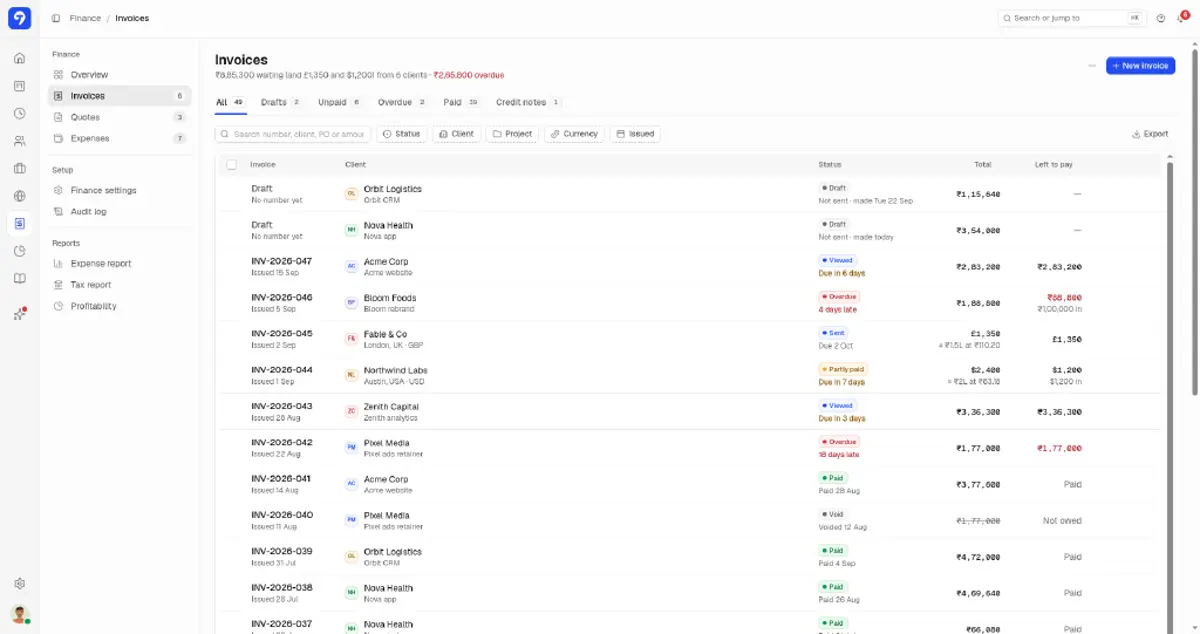
Trakkar invoices list with multi-currency totals and overdue status
Track draft, sent, overdue, and paid invoices, including USD and GBP clients.
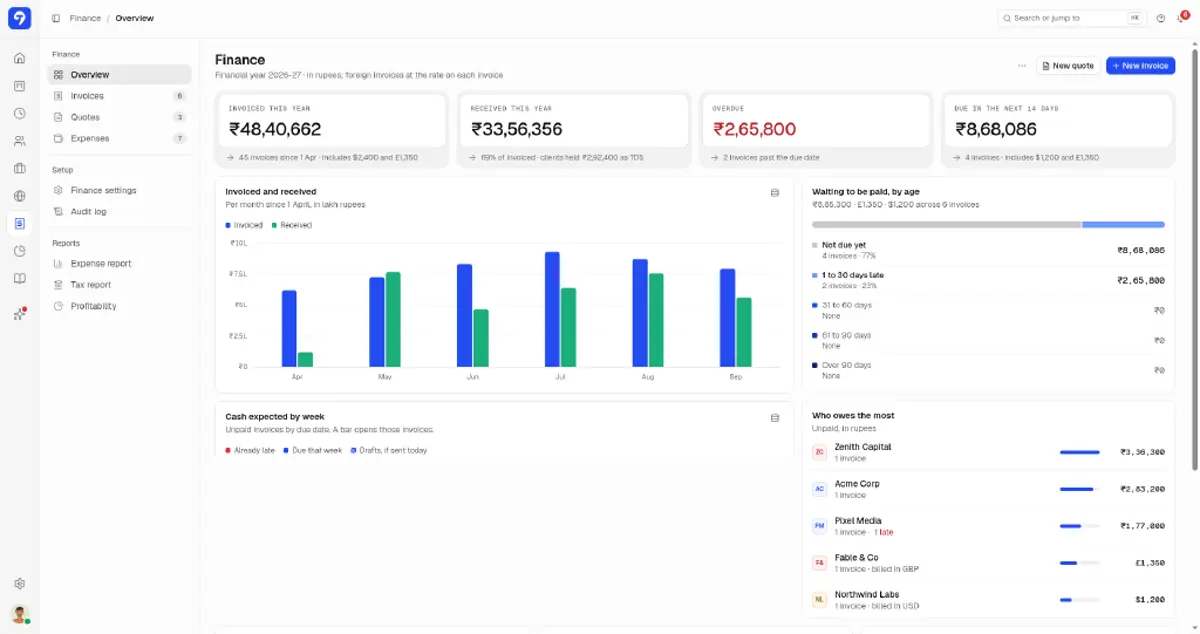
Trakkar finance overview with invoiced and received totals in rupees, aging, and top debtors
Financial year view in INR: invoiced, received, overdue, and who owes you.
Agency reality

Billable hours need project context, and a timer alone won't give it

A running clock without a project is useless when the client disputes the invoice.

Trakkar logs every session against a project and task. Project reports show billable vs non-billable hours and billable %, and the project page's Budget used meter tracks cost against project value, so you catch under-logging before the billing cycle closes.

  • Desktop tracker with optional screenshots and app usage
  • Manual time entries with manager approval
  • Billable flag on projects, tasks, and recurring tasks
  • Project time reports with custom date ranges
  • GST invoices with client GSTIN, linked to the project
India billing

INR rates, GST invoices, and client portal

Trakkar Team is ₹120/user/month and includes GST invoicing, Indian leave types, and a client portal. That replaces a Clockify or Toggl tier plus separate invoicing software.

Trakkar projects view with logged September hours and project health
Trust

Trusted by growing teams

Compare

Evaluating tools you already pay for?

Alternative pages with INR pricing and an honest look at feature gaps.

More guides

Related problem-solving guides

Practical workflows for Indian agencies that bill clients for their time.

View all guides

Common questions

Mark the project or task as billable (recurring tasks too). Time logged against it counts as billable hours in project reports, next to unbillable hours and billable %.

Try Trakkar now.

Start Free TrialBook a demo
No credit card required. Cancel anytime.